Yes, and most owners do better with both. Give each one its own job. Your apps hold anything with a time, a reminder or another person attached: appointments, client files, invoices and shared projects. Your paper planner holds the thinking: your goals, this week’s priorities and this week’s marketing. Ten minutes on Monday with both open keeps them in step. If marketing is the part that keeps slipping, use a paper planner with the week’s marketing already written in, like the 2027 Marketing Playbook & Planner.
Why paper still earns a spot on your desk
Paper is slower than an app, and for planning that helps. Writing your three priorities by hand makes you choose them. Typing them into a list makes it easy to add a fourth, then a ninth.
A planner also stays open on your desk without a single notification. You can see the whole week on two pages, and checking a box at the end of the day feels like progress, because it is.
And it’s easier to keep a habit you can see. A book on your desk reminds you it exists. An app you have to remember to open often doesn’t.
What your apps do better
- Reminders. Your phone will tell you when to leave for a meeting. A planner won’t.
- Scheduling with other people. Booking links, shared calendars and invites only work digitally.
- Anything a team or assistant touches. If someone else needs to see it, it belongs where they can see it.
- Storage and search. Client notes, contracts, drafts and photos you’ll need to find again next year.
- Money. Invoices, payments and your books belong in your accounting software.
Give each one a job
Trouble starts when the same thing lives in two places. You update one, forget the other, and stop trusting both. So decide where each kind of thing lives, once:
- Appointments and client calls: your calendar app.
- Deadlines and reminders: your calendar or task app.
- Your yearly goal and your number: the planner.
- This week’s top three priorities: the planner.
- This week’s marketing task: the planner, with a time block for it in your calendar.
- Drafts of posts, emails and website copy: digital, where you can edit and copy them.
- Ideas that show up mid-week: wherever is closest. Sort them on Monday.
The one thing that shows up in both is your marketing time. The task is written in the planner, and the time to do it is blocked in your calendar so a client call doesn’t take it.
A ten-minute Monday routine
- Open your calendar app. Look at what’s already booked this week.
- Open your planner to this week. Write your top three priorities around what’s booked.
- Read this week’s marketing task. Pick the day you’ll do it and block the time in your calendar.
- Empty your phone’s notes. Move last week’s ideas into your planner’s notes or your content list, and delete the rest.
- Close the app. Leave the planner open on your desk for the week.
Miss a Monday? Do it Tuesday. Miss a week? Turn the page. Your apps kept your appointments either way, and the planner picks up where you are.
A paper planner built for this routine
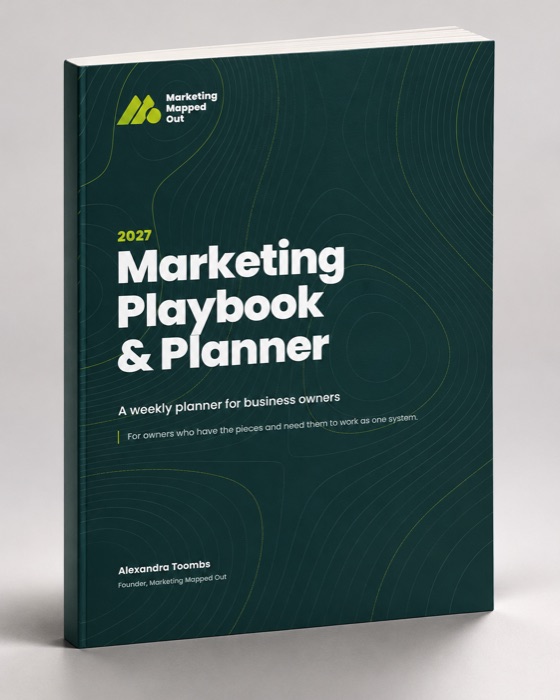
I wrote the 2027 Marketing Playbook & Planner for owners who are good at their work and want their marketing planned for them. It does the paper half of this routine. Every Monday you open it, and the week’s marketing task is already written at the top of the page.
- A two-hour game plan for January: who you serve, what you sell, and how many sales your goal takes
- A theme, content plan, journal prompt and numbers check for every month
- Fifteen-minute quarterly plans and reviews
- 53 two-page weekly spreads, each with a marketing task and room for your top three
- US and Canadian marketing dates marked, and a year in review in December
- Paperback, 8.5 x 11 inches, 168 pages. Week 1 starts December 28, 2026.
Investment $32 on Amazon
Get the planner on AmazonHow the planner and Marketing Mapped Out work together
I made both, so here is how I’d use them side by side. Each one works on its own. You don’t need the software to use the planner, or the planner to use the software.
The 2027 Marketing Playbook & Planner holds your rhythm on paper: your game plan for the year, a theme for every month, a check-in every quarter, and one marketing task written into every week. Marketing Mapped Out holds the work that needs typing, editing and saving: your messaging, your money plan, your website copy and your content calendar, all saved to your Google Drive.
Here is how they fit together through the year:
- In January, you work out your number in the planner with a pen. Then you put your goal and prices into the money plan in Marketing Mapped Out, and it carries into your 12-month plan and your website.
- Each month, the planner gives you the theme. Your content calendar in Marketing Mapped Out holds the posts and emails that go with it.
- Each week, the planner tells you what to do. When the task is “ask three clients for a testimonial,” the words you send come from the messaging you already wrote.
- Each quarter, you review on paper first: what worked, what didn’t, what changes. Then you update your answers in Marketing Mapped Out and see everything that change touches.
Think on paper. Build and store in the software. Come back to the planner every Monday.
Common questions
Does the 2027 Marketing Playbook & Planner work with Google Calendar and other apps?
Yes. It’s a paper planner, so it doesn’t sync, and it doesn’t need to. Keep appointments in Google Calendar or whichever app you use. Use the planner for your goals, your priorities and the week’s marketing task, and block the time for that task in your calendar on Monday.
Where can I get the 2027 Marketing Playbook & Planner?
On Amazon, as a printed paperback: 168 pages, 8.5 x 11 inches. Investment: $32. Week 1 starts December 28, 2026, so you can plan your year in the last week of December.
Is a paper planner or a digital planner better for a business owner?
For setting goals and choosing priorities, many owners find paper easier to stick with because it’s slower and has no notifications. For scheduling, reminders and anything shared, digital is better. Most owners do best with a paper planner for the plan and a calendar app for appointments.
Won’t I end up keeping track of everything twice?
Only if the same thing lives in both. Give each kind of thing one home. The only overlap is your marketing time: the task goes in the planner, and the time to do it goes in your calendar.
Can I use a digital planner on a tablet instead?
Yes, if you’ll open it every week. The same rule applies: the tablet planner holds your goals and priorities, and your calendar holds your appointments. Turn notifications off while you plan.
What if I fall behind in my planner?
Skip to this week’s page and start there. A blank week isn’t a failure. Your appointments are safe in your calendar, and next Monday’s task is already written in.